
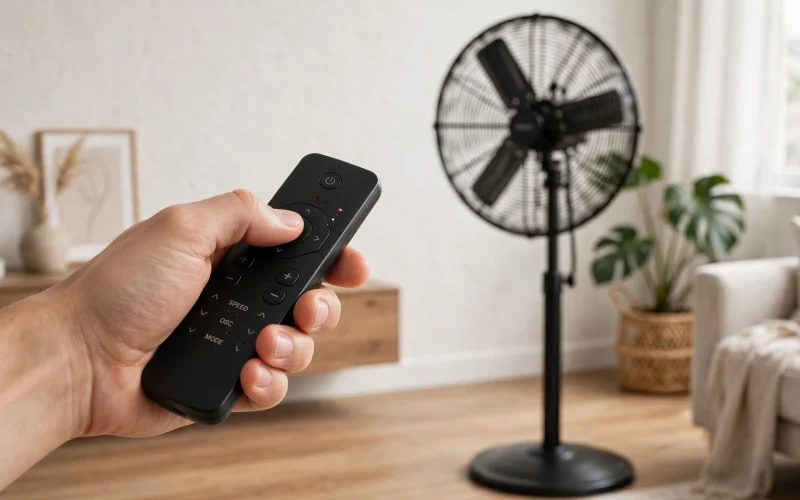
Dayton fan remote controls are bought separately, because Dayton fans do not include remotes. Start with a fresh battery when a remote stops working, and buy a plug in wireless kit when your fan has no remote at all.
You need the model number off the metal nameplate on the motor housing. You also need a kit rated 15A, a fan draw of 15 amps or less, and plug types that fit. The kit receiver plugs into the outlet, the fan plugs into the receiver, and the remote sends its signal to the receiver.
Dayton fan remote controls
Follow this process to add remote control to a Dayton plug in fan:
- Put a fresh battery in first, before you buy anything. A remote that looks broken may only need one.
- Read the model number off the metal nameplate on the motor housing. Search the exact model number plus “remote” on Amazon or Grainger.
- Buy a kit from the table on this page when your fan has no remote. A fan that never had a remote takes a kit, not a single remote on its own. For portable plug in fans like pedestal fans, a plug in wireless kit is the simplest way to add remote control.
- Skip universal remotes. No frequency number is given on this page, so you cannot check whether one will work with your fan. Buy a kit from the table on this page instead.
- Check the kit before you order. The kit is rated 15A. Amp draw is how much electric current your fan pulls when it runs. Your fan draw must be 15 amps or less. Read the fan draw number off the fan listing or the fan manual before you order. Cannot find the fan draw number? Call Dayton at +1 800 472 4643 before you order. The outlet and fan plug types must fit the kit plugs.
- Test the fan direct before you blame the remote. Plug the fan straight into the outlet, leaving the kit receiver out. A fan that runs when plugged straight into the outlet but stays silent through the receiver has a failed kit receiver. Call Dayton at +1 800 472 4643 and ask for a replacement. No separate receiver is sold on this page.
Why remotes stop working
A remote bought separately is small and easy to misplace in a shop. A lost remote means a new one.
A drop, a crush, or water damage stops the buttons responding or cracks the case. A cracked case or a button that will not respond means a new remote, not a repair.
A dead battery looks like a broken remote.
The receiver that came with the kit can fail. A new remote will not fix a failed receiver.
Which kit to pick
List prices are as of 14 November 2026, the date this page was checked. Three remote kits add remote control to Dayton fans.
| Kit | List price | Type | Range | Rating |
|---|---|---|---|---|
| BN-LINK wireless remote kit | $15.99 | Plug in wireless remote | 100 ft | 15A |
| DEWENWILS wireless remote kit | $19.99 | Plug in wireless remote | 100 ft | 15A |
| Kasa smart fan control KS240 | $43.99 | Smart fan control switch | Not stated | 1.5A max fan load |
The BN-LINK kit and the DEWENWILS kit match on every figure given: plug in wireless, 100 ft range, 15A rating. The DEWENWILS kit is sold for control from across the shop, yet its listed range is the same 100 ft as the BN-LINK kit. On the figures given there is no reason to pay the extra $4. Order the BN-LINK kit.
Check Price on Amazon: BN-LINK kit Check Price on Amazon: DEWENWILS kit
The Kasa control does a different job. It is a switch, not a plug in remote. It adds app and voice control to ceiling fans it fits. This page names no ceiling fan model it fits, so check the Kasa listing for your fan model before you order. It is rated for a ceiling fan load up to 1.5A.
The Kasa control needs a neutral wire. That is the white wire inside the switch box. Look in the switch box before you order. No spare white wire in the box means do not order the Kasa control. Order a plug in kit from the table on this page instead, or ask an electrician to check the box for you.
Check Price on Amazon: Kasa smart fan control
Pairing a kit remote
- Plug the receiver into the outlet, plug the fan into the receiver, and set the fan switch to High.
- Cut the power. Unplug the receiver from the outlet, or switch the fan off at the breaker.
- Wait 30 seconds.
- Plug the receiver back in. That restores power.
- Within 30 seconds of plugging the receiver back in, press and hold the button marked Pair or Learn on the remote.
- Press each button on the remote and check the fan answers each one.
Pairing failed? Put a fresh battery in the remote. Stand close to the fan, with nothing between you and the receiver. Then start again at step 2.
Remote not working
| Symptom | Likely cause | Fix |
|---|---|---|
| Nothing happens | Dead battery | Put a fresh battery in the remote the right way round. The plus and minus marks inside the battery slot show the way. |
| Some buttons work | Buttons worn out | Clean the button area, or buy a new remote. |
| Works only up close | Weak battery or something blocking the signal | Put a fresh battery in. Move to a clear spot with nothing between you and the receiver. |
| New kit remote will not pair | Kit receiver not responding | Put a fresh battery in the remote. Stand close to the fan with nothing between you and the receiver. Then pair again from step 2 in the pairing steps on this page. |
| Fan runs but remote does nothing | Kit receiver failure | Call Dayton at +1 800 472 4643. No separate receiver is sold on this page, so ask Dayton what to order. |
A fan with power or motor trouble needs the troubleshooting guide. Exhaust fans that need ventilation control are in the exhaust fans guide.
Keep the next remote working
Give the remote one home. A hook on the wall next to the fan beats a drawer.
Put fresh batteries in at the start of the hot season, when you start using the fan every day.
Keep it dry. Water kills remotes. Do not leave the remote where water sprays or splashes, such as near a hose or a wash area.
Customer service
2321 Needmore Road, Dayton, OH 45414
+1 800 472 4643
info@daytonfansco.com
Monday to Friday, 8 AM to 6 PM EST
Warranty Claim Contact Details
Still stuck after the steps on this page? Call Dayton customer service at +1 800 472 4643.
Frequently Asked Questions
No. Dayton fans do not include remotes. Use an aftermarket remote kit instead: the kits above add remote control to compatible Dayton fans.
15A plug-in wireless kits work with most Dayton plug-in fans. Match the kit’s amp rating to your fan’s draw, and check that the plug types match.
Plug the receiver into the outlet, plug the fan into the receiver, set the fan’s own switch to High, then use the remote. For kits with a pairing button, press and hold it within 30 seconds of restoring power.
Check the remote’s batteries, confirm the outlet has power, test the fan plugged directly into the outlet (bypassing the receiver), and verify the remote is paired. If the fan works directly but not through the receiver, the receiver has failed.