
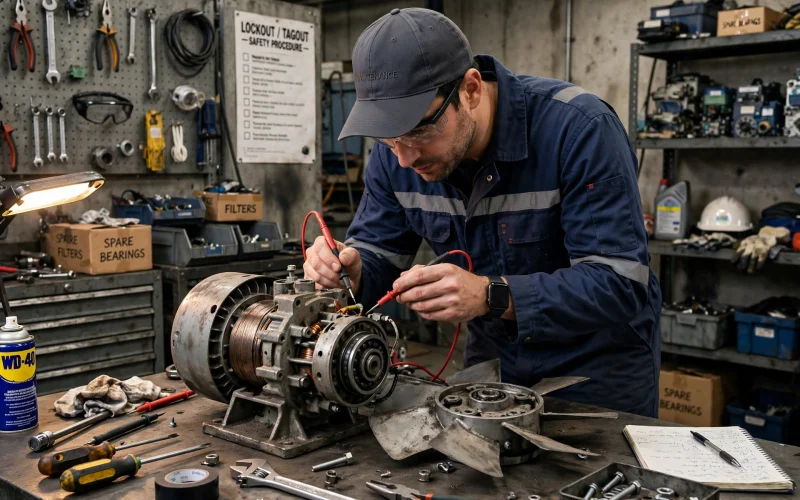
Dayton fan troubleshooting is the fix for a fan that will not start, moves weak air, wobbles, rattles or overheats. Work through power, cord, switch, capacitor and motor in that order, with the fan unplugged first.
You need the model number off the nameplate before you order any part. Find the symptom that matches your fan below and follow those steps in the order they are written.
Dayton Fan Troubleshooting
Unplug the fan before you touch the blade or motor. Match your symptom below: a fan that will not start, weak airflow, wobble, noise or a motor that overheats. Follow the steps for that symptom in the order they are written. The last section tells you whether to buy a part or a new fan.
Featured Dayton Products
Four models covered in this guide.
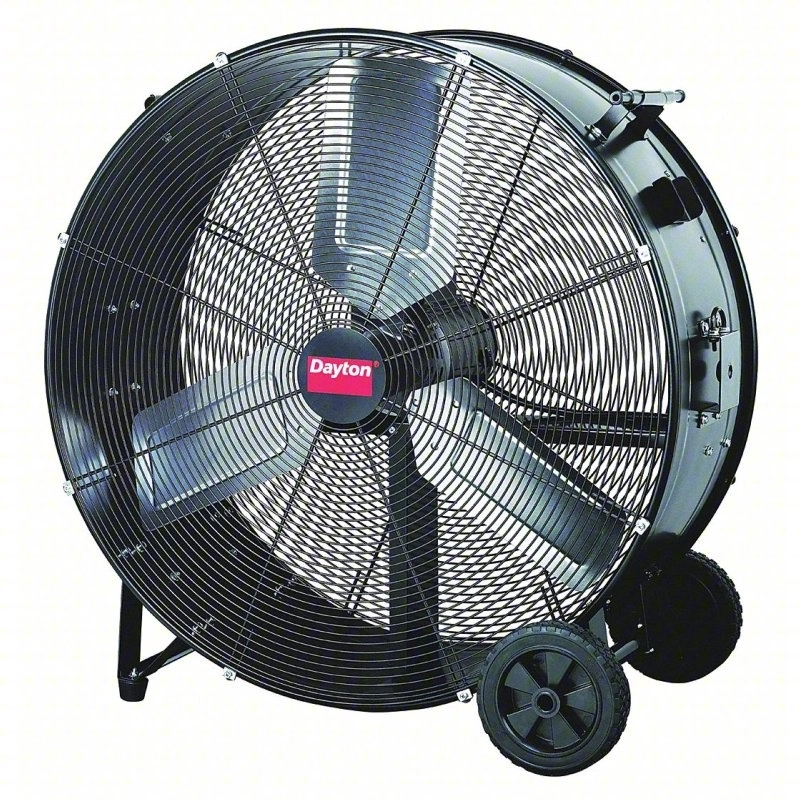
Dayton 39UK52 Circulating Fan, 24 In, 4,150/6,200 CFM
$304.99
Our 24-inch light-duty industrial circulator, built for shops and warehouses that need serious air movement from a mobile unit.
- Airflow: 4,150 / 6,200 CFM
- Size: 24-inch circulator
- Voltage: 115V AC, 1-phase
Worth noting: Non-oscillating; airflow direction is fixed where you point it. Large square footprint needs floor space.
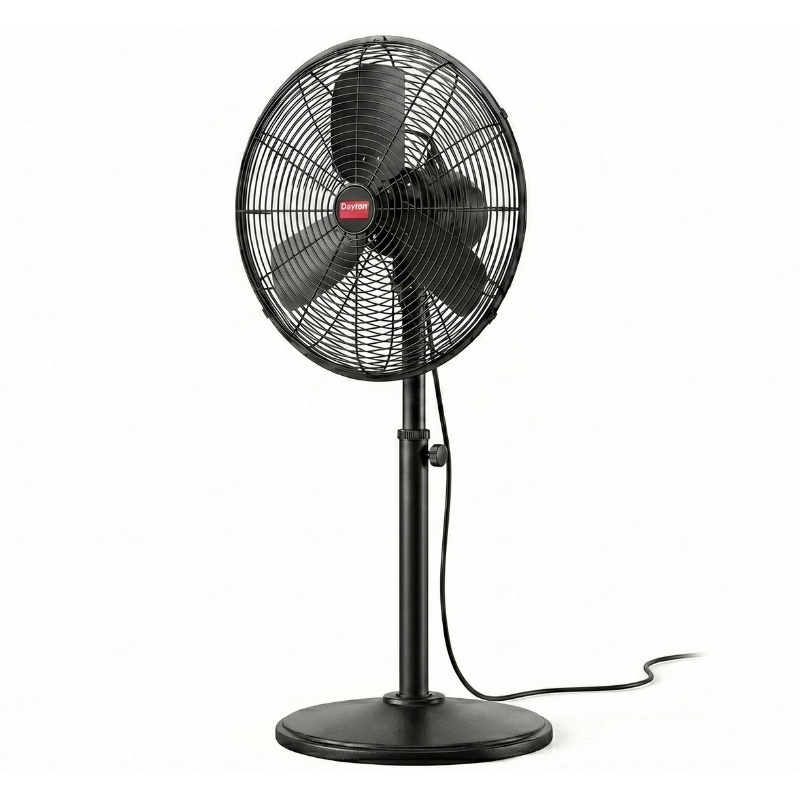
Dayton 1RWB5 Pedestal Fan, 30 In, 4,650/7,250 CFM
$324.99
Our 30-inch pedestal air circulator with an adjustable stand, built to move serious air across shops and warehouses.
- Airflow: 4,650 / 7,250 CFM
- Size: 30-inch pedestal
- Voltage: 120V AC, 1-phase
Worth noting: 3-speed control. Pedestal base needs a clear, level floor area.
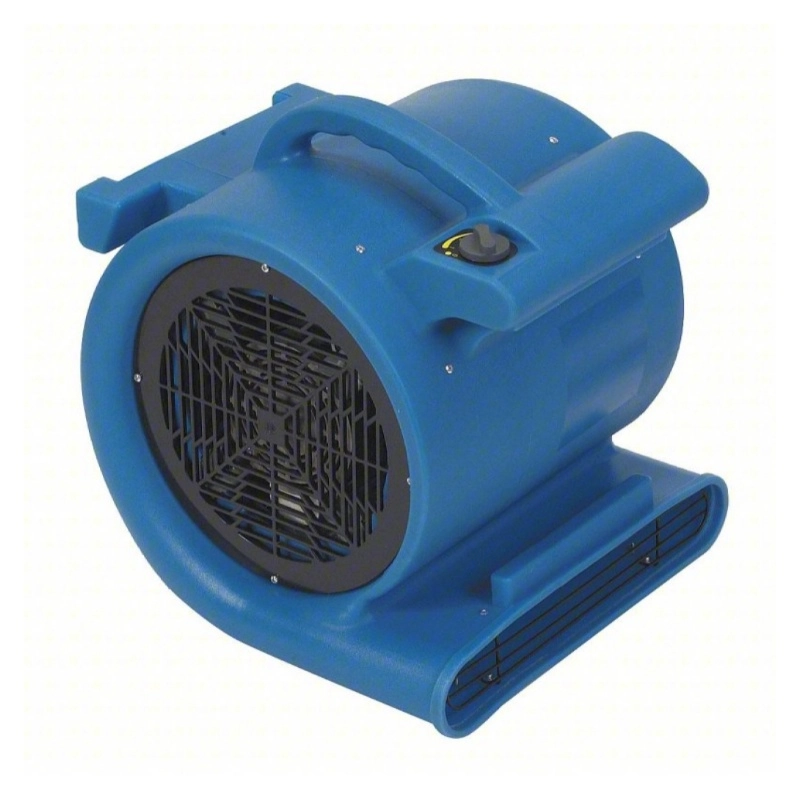
Dayton 4XLE2 Portable Blower, 1,648 CFM
$348.99
Our portable centrifugal blower for drying floors, ventilating tight spaces, and boosting airflow where fixed fans cannot reach.
- Airflow: 1,648 CFM max
- Motor: 1 HP
- Cord: 25 ft
Worth noting: 3 speeds. Position the intake clear of debris for best performance.
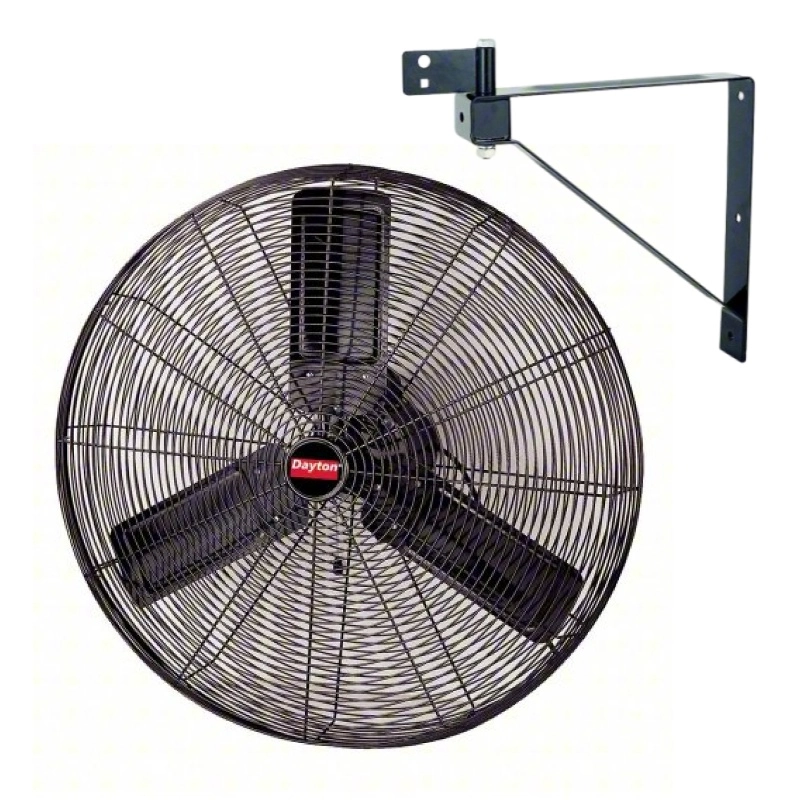
Dayton 1RWB4 Wall/Ceiling Fan, 30 In, 4,650/7,250 CFM
$267.99
Our 30-inch wall-mount circulator, built for shops and warehouses that need serious air movement with zero floor footprint.
- Airflow: 4,650 / 7,250 CFM
- Size: 30-inch wall/ceiling
- Voltage: 120V AC, 1-phase
Worth noting: Non-oscillating; mount into a stud or structural member, not drywall alone.
The Four Models in This Guide
| Model | Fan type | Airflow | Price |
|---|---|---|---|
| 4XLE2 | Portable blower | 1,648 CFM | $348.99 |
| 39UK52 | 24 inch circulator | 4,150 to 6,200 CFM | $304.99 |
| 1RWB5 | 30 inch pedestal | 4,650 to 7,250 CFM | $324.99 |
| 1RWB4 | 30 inch wall and ceiling | 4,650 to 7,250 CFM | $267.99 |
Prices checked 14 November 2026.
The 39UK52 is a light duty industrial circulator, built for shops and warehouses that need serious air movement from a mobile unit. It has a large square footprint and needs floor space. Its airflow direction is fixed where you point it. The 4XLE2 is a portable blower for drying floors, ventilating tight spaces and boosting airflow where fixed fans cannot reach. It has a 1 HP motor and a 25 ft cord. The 1RWB5 is a 30 inch pedestal air circulator with an adjustable stand, and the base needs a clear, level floor area. The 1RWB4 is a 30 inch wall mount circulator with zero floor footprint. It does not oscillate. Mount it into a stud or structural member, not drywall alone.
Safety First
Unplug the fan before you touch the blade or motor. Every step in this guide starts with the fan unplugged. A motor that shut itself down is hot. Give it 30 minutes before you touch it. Do not run a damaged blade. A cracked or bent blade can break apart at speed. Replace it. Guards, switches and overloads are safety parts. Never bypass them.
Fan Will Not Start
- Plug the fan in firmly and try a different outlet. If the fan still does nothing, look at the breaker for the room and reset it if it has tripped.
- Look along the cord for cuts, crushed spots or melted insulation. A damaged cord is a fire hazard. Replace the cord.
- Move the speed switch through every position. A worn switch may only work on one speed. If it only works on one speed, order a replacement switch that matches your model number on the nameplate.
- Plug the fan in for this one test only. Listen. If the motor hums and the blade stays still, the start capacitor has likely failed. The start capacitor is the part that helps the motor start. Unplug the fan again before you touch anything. Order a replacement capacitor that matches your model number on the nameplate.
- If the motor is hot and smells burnt, it may be burned out. Do not touch it while it is hot. When it is cool, replace the fan. A burned out motor usually means a new fan.
If the remote is the problem and not the fan, the fan remotes guide covers the remote side of this.
Weak Airflow
- Wipe the dust off the blades and the grille. Dust on the blades cuts the air the fan moves.
- Turn the speed to the highest setting.
- Move anything that blocks the air intake: boxes, debris or a wall. On the 4XLE2 blower, keep the intake clear of debris.
- Look at the belt on a belt drive fan. A loose or slipping belt cuts blade speed. If the belt looks worn, replace it with a belt that matches your model number on the nameplate. If the belt looks fine and the air is still weak, call Dayton at the number on this page.
- Weak airflow can also point to a failing capacitor. Check the capacitor. Order a replacement capacitor that matches your model number on the nameplate.
- Still weak after all that? The fan may be undersized for the space. The how to choose guide helps you pick the right size. For exhaust fans that are not moving enough air, the exhaust fans guide covers them.
Wobble and Vibration
- Tighten all mounting bolts. Wall mount fans vibrate loose over time.
- Put the base on a level floor. The pedestal fans guide covers placement.
- Look at the blade for bends or cracks. A bent blade causes vibration. Replace it. Do not run a damaged blade.
- Wipe dust off the blade if it has piled on one side. Dust on one side throws the blade off balance.
- Listen for grinding or rumbling with the vibration. That sound points to worn bearings, the parts the blade spins on. Order replacement bearings that match your model number on the nameplate.
For large drum fans, the drum fans guide covers them.
Too Much Noise
- Drop to a lower speed if the airflow still does the job. A higher speed means more noise. The 1RWB5 and the 4XLE2 both have 3 speeds.
- Listen for a squeal or a grind. That sound means the bearings need grease or replacement. Order replacement bearings that match your model number on the nameplate. If the noise stays after the new bearings, call Dayton at the number on this page.
- Tighten the grille, the guard and the mounting bolts. A rattle usually means something is loose.
- Listen at startup on a belt drive model. A squeal at startup means the belt is loose or worn. Replace the belt with one that matches your model number on the nameplate.
Motor Overheats
- Clear anything that blocks the air path. Blocked airflow makes the motor work too hard.
- Read the voltage on the listing for your model. The 39UK52 lists 115V, and the 1RWB5 and 1RWB4 list 120V. Use the figure listed for your own model. If the figure on the listing does not match the outlet you use, call Dayton at the number on this page before you run the fan again.
- If the motor shut itself down, it may have tripped its thermal overload, the safety cutout inside the motor that cuts power when the motor gets too hot. Let it cool, then clear any blockage from the air path.
- Look at the wiring for damage and loose connections. If you find damage or a loose connection, call Dayton at the number on this page before you run the fan again.
- Still overheating after those steps? Call Dayton at the number on this page and keep your model number ready.
Repair or Replace
Our call when the motor is burned out: replace the fan. The cheapest of these four models is the 1RWB4 at $267.99.
Replace the part when the capacitor is dead, the belt is worn, the blade is bent, or the bearings are worn out. Replace the whole fan when the motor is burned out or the housing is cracked. A new fan of these models costs $267.99 to $348.99. The 1RWB4 is $267.99 and the 4XLE2 is $348.99. Confirm the part is in stock for your model and the part number matches your fan model number on the nameplate. For parts, see the Dayton replacement parts page.
Fan Care Every 3 to 6 Months
Service the fan every 3 to 6 months:
- Unplug the fan.
- Clean the blades and grille.
- Lubricate the bearings.
- Look at the cord for damage.
- Tighten the mounting bolts.
Customer Service
Address: 2321 Needmore Road, Dayton, OH 45414
Phone: +1 800 472 4643
Email: info@daytonfansco.com
Hours: Monday to Friday, 8AM to 6PM EST
What to do next: Still stuck after these checks? Call +1 800 472 4643, Monday to Friday, 8AM to 6PM EST, and keep your model number from the nameplate ready.
Frequently Asked Questions
Check power, the breaker, the cord, and the switch first. If the motor hums but the blade does not turn, the capacitor is the likely culprit.
Tighten all screws and bolts, check the blades for bends or damage, and lubricate the bearings. Rattle usually means a loose part.
Clean dust off the blades and grille, check the capacitor, and clear anything blocking the intake. Weak airflow can also mean the fan is undersized.
Every 3 to 6 months: unplug the fan, clean the blades and grille, lubricate the bearings, check the cord for damage, and tighten mounting bolts.